User acceptance testing, before the study has a single patient in it.
A study build is only as good as the first data that hits it. Verdatic makes that data early — a clean run and a deliberately broken twin from the same design — so your forms, your visit windows and your edit checks get tested while there is still time to change them.
The problem
A study build gets tested with data somebody types in. A tester sits in the test environment keying subjects — a few for the happy path, a few more for each check they remember to try — and stops when the calendar says stop. That is the state of the art at most sponsors and CROs, and it has three expensive properties.
- Coverage is whatever one person had time for. The checks that nobody exercised look exactly like the checks that work. A rule pointed at the wrong field, a rule whose expression never evaluates, a rule that can’t fire because no test subject ever produced the value — all three pass UAT silently.
- Every fix costs another round of typing. Change the form, and the data that found the problem is no longer valid. The most common outcome isn’t a bad re-test; it’s a re-test that gets deferred.
- Volume problems never surface. Sort order, pagination, duplicate handling, cross-visit logic, listings that only misbehave past a couple of hundred subjects — none of it shows up in a hand-keyed set of six.
Then the protocol is amended, the forms and the checks change, and the whole exercise starts over with less time than it had the first time.
Risk and cost profile
We don’t publish savings percentages, and there is no benchmark study behind this page. What we can do honestly is name the cost drivers and the units they’re measured in — you price them with your own rates, which beat any vendor average.
Two of these costs are visible on a timesheet. The third is the one that matters: an edit check that doesn’t work in production doesn’t announce itself. It shows up months later as data that was never queried, and the fix is a change control against a live build — possibly with a re-query of what has already been collected.
| Cost driver | How it shows up | Price it with your own numbers |
|---|---|---|
| Hand-keyed test data | Testers entering subjects into the test build, one form at a time. | subjects × forms × minutes per form × your loaded hourly rate |
| Re-test cycles | Each build fix invalidates the data that found it, so the keying restarts. | cycles per build × the cost of one cycle above |
| Coverage you can’t evidence | Checks nobody deliberately violated are indistinguishable from checks that work. | count your rules; count how many were deliberately violated in your last UAT |
| Defects found after go-live | Queries that never fired, cleaned by hand later; change control against a live build. | data-management days + change-control effort, × the late defects you had last study |
| Amendments | Forms and checks change; the build changes; UAT starts again. | your own amendment history × the cost of one full UAT cycle |
On that last row, the one outside number we’ll quote: widely-cited analyses of protocol amendments — the Tufts Center for the Study of Drug Development’s are the ones most people reach for — put the direct cost of a single substantial amendment in the six figures, before any schedule impact. We’re quoting that figure, not measuring it, and your own amendment history is the better input.
What we won’t claim: that generated data removes the need for UAT, or that it finds defects by itself. It removes the typing, makes coverage countable, and makes the re-test cheap enough to actually do.
The workflow, at a glance
One design goes in. Two runs come out — a clean study and a twin built to violate the rules on purpose — and each rule is evaluated as the data is made, so you know what fired before anything leaves Verdatic.
The Verdatic workflow
Real screens from the product. Every capability below ships today — the captions say plainly what each screen is and what it isn’t.
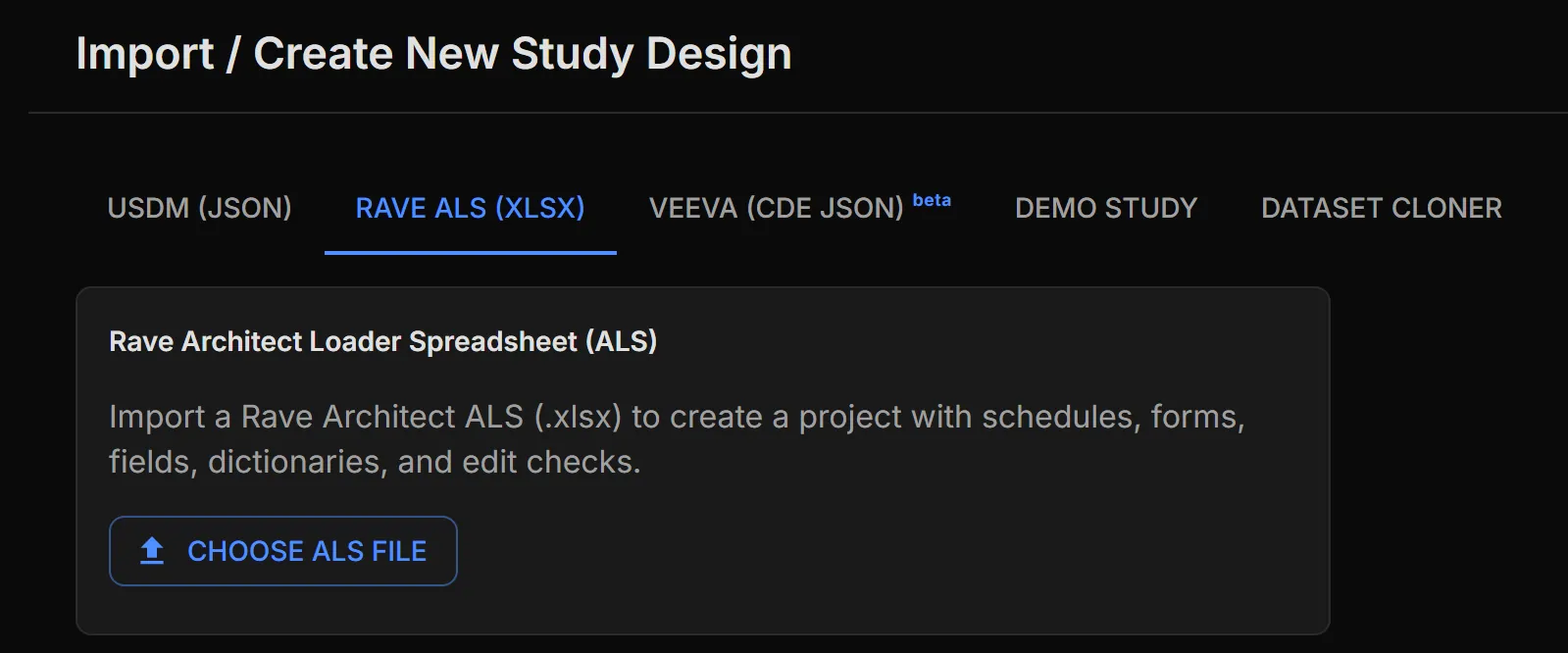
Bring in the build you already have
A Rave Architect Loader Spreadsheet creates the project complete with schedules, forms, fields, dictionaries and edit checks. USDM protocol files and Veeva casebook design exports come in the same way. You are testing the build you’re actually shipping, not a re-drawn approximation of it.
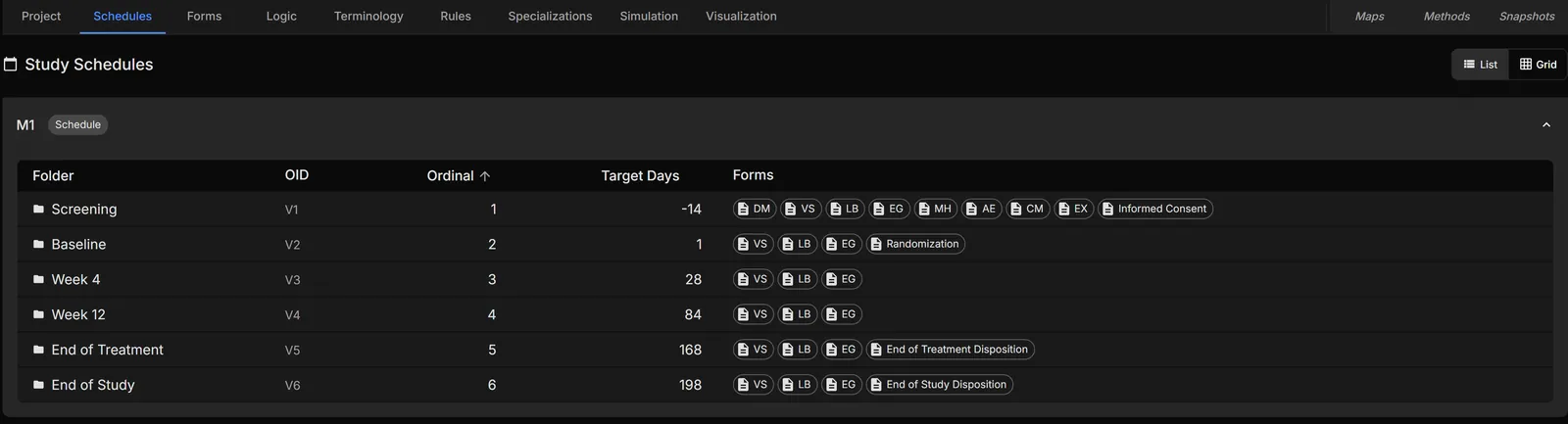
Confirm the study the data will be made against
Visits, target days and the forms attached to each one are all editable. Shift a visit, add an arm, change a form set — the next run reflects it. This is also where the visit windows your checks depend on become testable rather than theoretical.
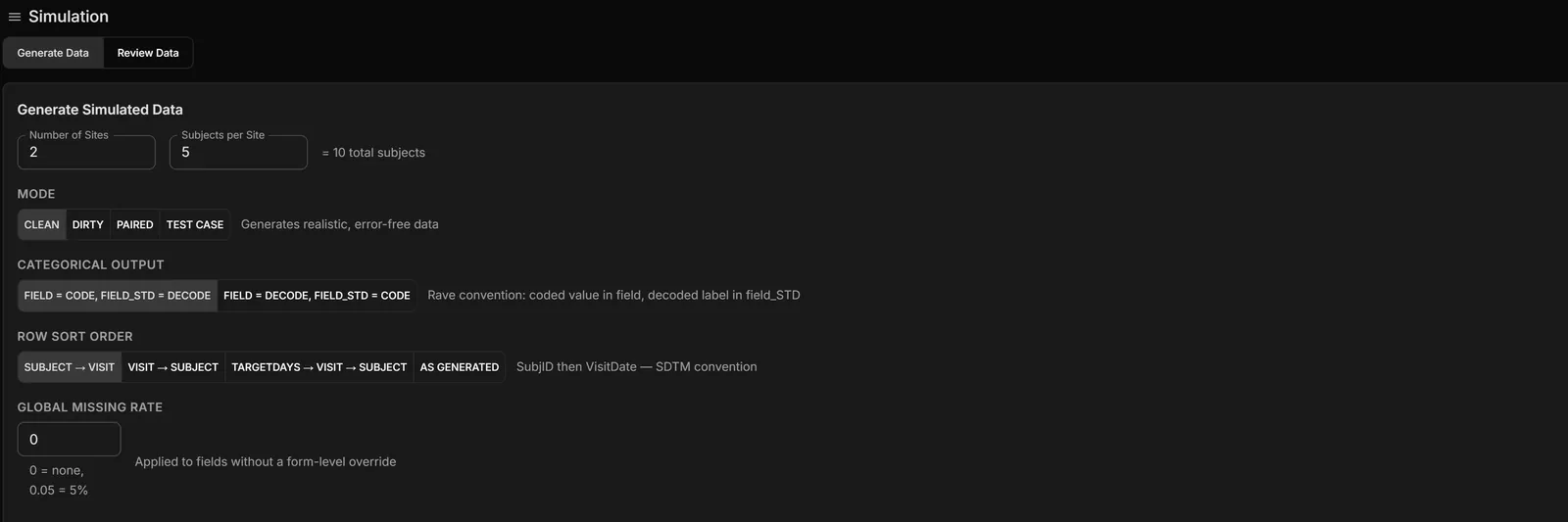
Choose what kind of data you need
Four modes, each with a different job. Clean generates realistic, error-free data. Dirty injects quality-rule violations. Paired produces a matched clean and dirty pair — the dirty side is built from the clean rows themselves, so the two are comparable record for record. Test Case aims for one guaranteed violation per rule and reports its own coverage: how many rules it covered, and which it had to skip. The dirty twin’s site identifiers are offset, so both halves can sit in the same target system without colliding.
Let the rules run while the data is made
With inline evaluation on, every quality rule is evaluated against each record as it is generated, and each violation is written to the run with its rule, severity, subject, visit, form, field and the values involved. You get the list of what fired before the data goes anywhere near your test system — and, for a Test Case run, an expected-behavior note per case describing the query the rule should raise.
Being straight about the boundary: the generator evaluates quality rules, and it executes the structural logic actions — the ones that add or remove forms and folders. Free-text validation messages in an imported build are carried across and can be authored, but they are not fired by the generator itself. Your EDC remains the thing that proves your EDC.
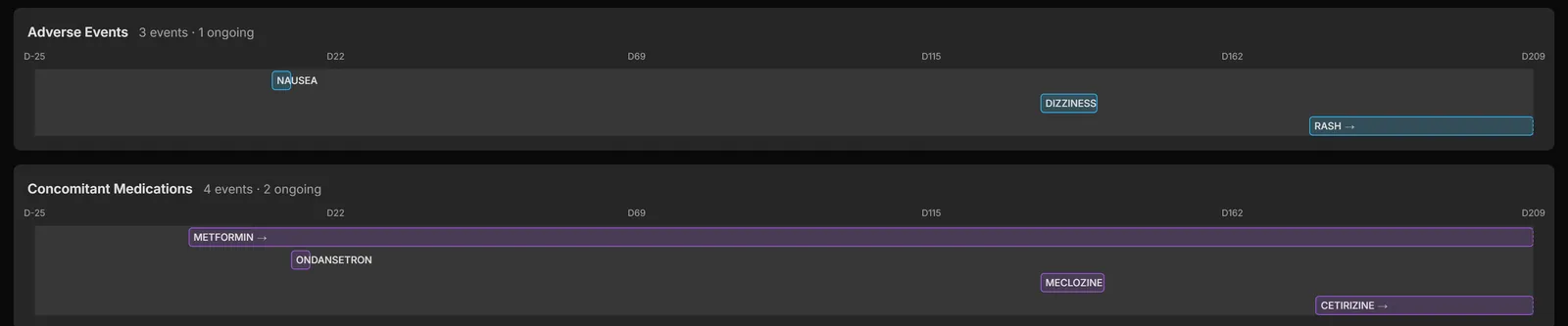
Look at it as a clinician would
Test data gets rejected in UAT for being obviously fake as often as for being wrong. Verdatic’s data holds together across domains: events start after dosing, treatments follow the events they answer, chronic medication runs the length of the study, lab values sit in physiological ranges.
Get a second opinion from the official engine
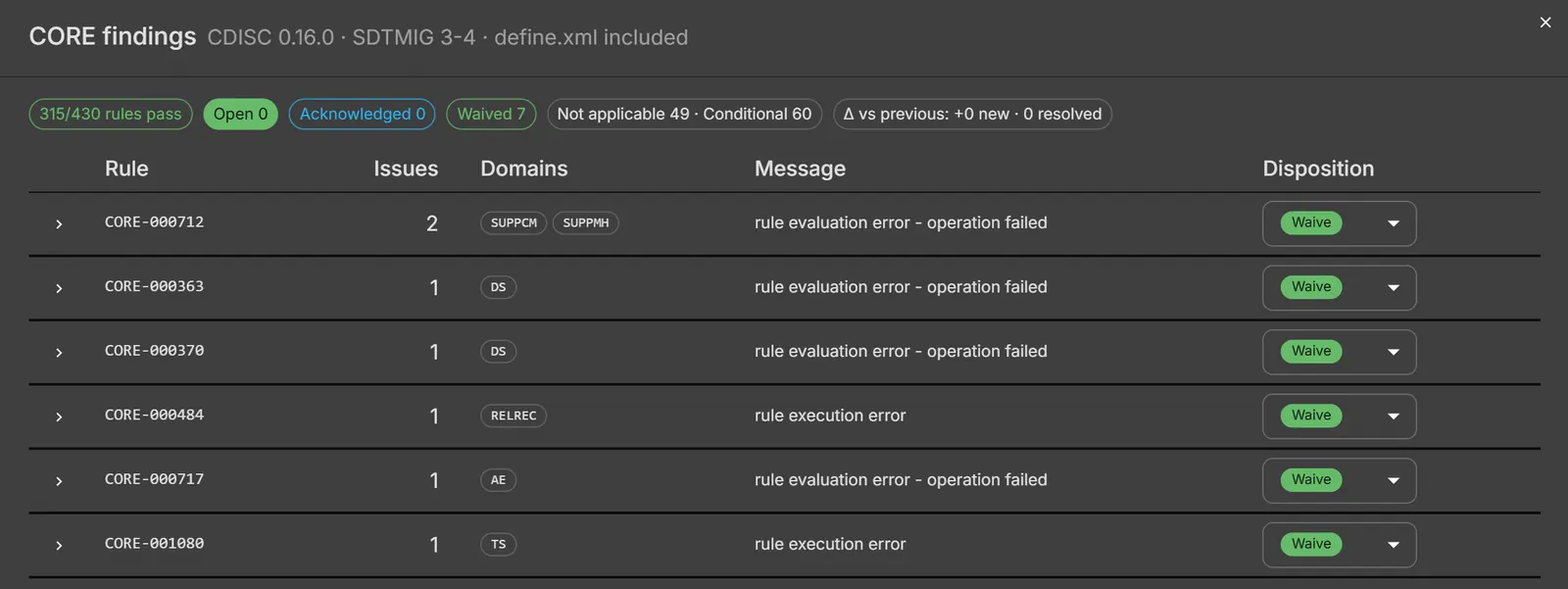
Beyond your own rules, the datasets can be checked by the official CDISC CORE conformance engine — not our reading of the CDISC rules. Findings become a worklist: each one gets a recorded disposition, and run-over-run deltas show what’s new, what’s resolved and what persists, so nothing gets quietly re-litigated.
Take it to the system under test
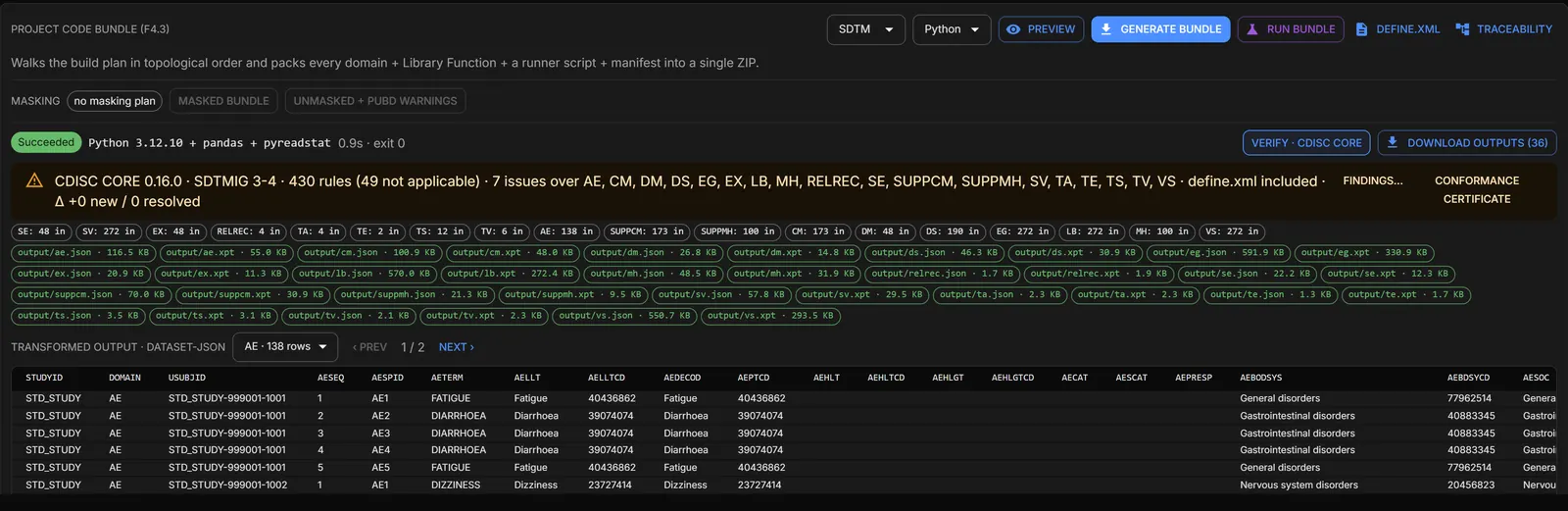
Runs export as Excel, Dataset-JSON, SAS transport files, or a paired package holding the clean and dirty sides together with a manifest of exactly which fields differ. Loading it into your EDC or clinical database is your existing route — Verdatic doesn’t drive your test system, it supplies the data that goes into it.
Executive summary
- The problem. Study builds and edit checks are accepted on hand-keyed data. Coverage is whatever one tester had time for, and a check that never fires looks identical to a check that works.
- The cost. Person-days of keying per cycle, multiplied by cycles you can’t afford to repeat — and a tail risk that surfaces as uncleaned data and a change control against a live build.
- What Verdatic does. Imports the build you’re shipping, generates a clean study and a deliberately broken twin from it, evaluates your quality rules as the data is made, and reports its own coverage — including the rules it had to skip.
- What comes out. Excel, Dataset-JSON or SAS transport files, or a paired package with a manifest of every field that differs between the clean and dirty sides.
- The honest boundary. Verdatic is not a test-management system: no script library, no execution tracking, no sign-off workflow. It makes the data your UAT runs on, and tells you what its own rules found.
Try it on the build in front of you.
Guided access starts with one of your own study designs — imported, simulated clean and dirty, and handed back so you can see what your checks do with it.
Request accessOr email [email protected]. If you’re running a vendor assessment, Trust & security says plainly where every control stands.
The other three use cases